PHP4WP2 – Control Structures
Comparison Operators and the truth
- Comparison Operators
- Allow us to compare values and evaluate them as true or false.
- Compare Equality with ==
- 10 == 10 is true
- 10 == 20 is false
- ‘1’ == 1 would evaluate to true (php is the weak-typed language hence checking for equality only ignores the type of variable.)
- Identical Comparison with ===
- 1 === 1 is true
- ‘1’ === 1 is false
- It comes in handy if you want to check if a value is zero
- Zero is often represented as false in PHP.
- Greater Than with > (similarly same for less than)
- 10 > 10 is false
- Greater than or equal to with >= (same for less than)
- Not or Negation with !
- != is “not equal’
- !== is “not identical”
- 10 != 10 is false
- !(10 == 10) is also false, as it’s saying “The opposite of 10 == 10”
- These all used as Boolean Statements because
- Will always evaluate to true or false
- Used to check the state of a website and control the flow of the code
Logical operators
- Logical operators
- Combine comparison statements and evaluate overall truthfulness
- && is AND
- (true && false) is false
- || is OR
- (true || false) is true
- (false || false) is false
Logical operators used as boolean statements because
- Will always evaluate to true or false
- Used to check the state of a website and control the flow of the code.
To check the results of an array which has only true and false use var_dump() function instead of print_r() function.
var_dump($results);Creating if/else statements
- Control Structure
- Employ logic to code and execute statements based on specific conditions.
- If statements are the most common control structures
if ( $a > $b ) {
  echo '$a is greater than $b';
} else if ($b > $a) {
  echo '$a is not greater than $a';
} else {
}
only first else if statement will run from all the true statements.
Alternative syntax of if/else statement
if ( condition to check ) :

  // code to execute if the condition is true

elseif ( different condition ) :

 //different code to execute

else:
//catchall code

endif;
Alternate syntax WordPress example (note that the endif has semicolon)
<? php if ( $home_page ) : ?>

<header>
 <h1> Welcome to the home page of my website! </h1>
 <p> Have a look around. </p>
</header>

<?php endif; ?>
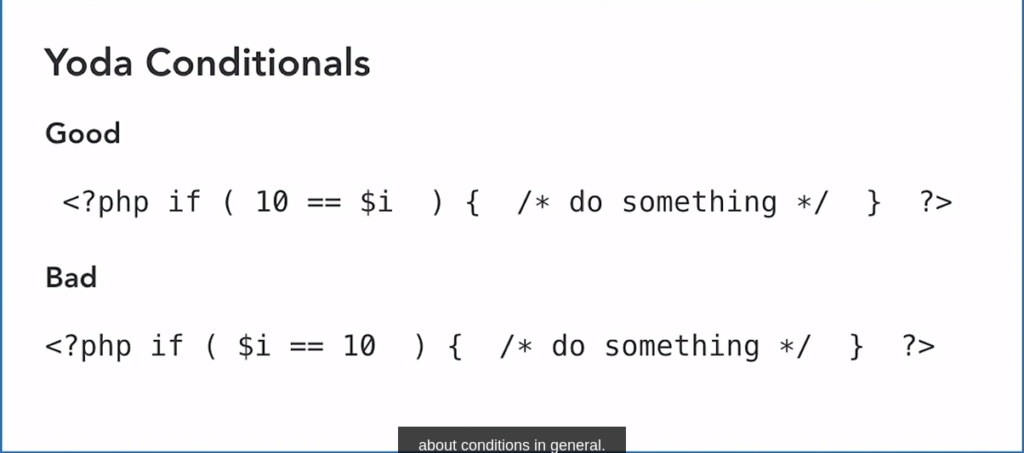
Yoda Conditionals
Conditional tags in WordPress
Check wordpress documentations on conditional tags.
Loops
- Loops
- Execute a piece of code until some condition becomes false
- In WordPress, loops are most often used to process arrays.
- Two common types of loops
- While loops
- Do something while the condition is true
- General-purpose loops used for math, enumeration, or anything you can think of
- Foreach loops
- Do something for each item in a list
- Used to process arrays
- While loops
Syntax of while loop
while ( condition is true) {

  /* Code to execute. Should include to eventually make condition false (if you fail to provide false statement then program could crash) */

}
Syntax of Foreach loop
$items = array('1', '2', '3');

foreach( $items as $item ) {

 // Do something with next item in the array

}
<?php
$i = 1;
while ( $i <= 10 ) {
echo "$i \n";
$i++;
}
?> // output 1 to 10Foreach vs while for printing out arrays.
<?php
$colors = array('red','blue','green','yellow');
$i=0;
while ( $i < sizeof($colors)) {
    echo $colors[$i]."\n";
    $i++;
}

foreach ($colors as $color) {
    echo "$color \n";
}
?> //output would be same the name of colors.
We can use foreach loops for associative arrays.
<?php
$colors = array('best' => 'red','better' => 'blue','good' => 'green','ok' => 'yellow');

foreach ($colors as $rank => $color) {
    echo "$color is $rank \n";
}
?>
output will be
red is best
blue is better
green is good
yellow is ok
“The loop” in WordPress
Concep of “The Loop” in WordPress.
This is the code used to display posts.
The loop belongs to the templat files.
Read about “The Loop” on the WordPress Handbook
Challenge: Loop through an array of information
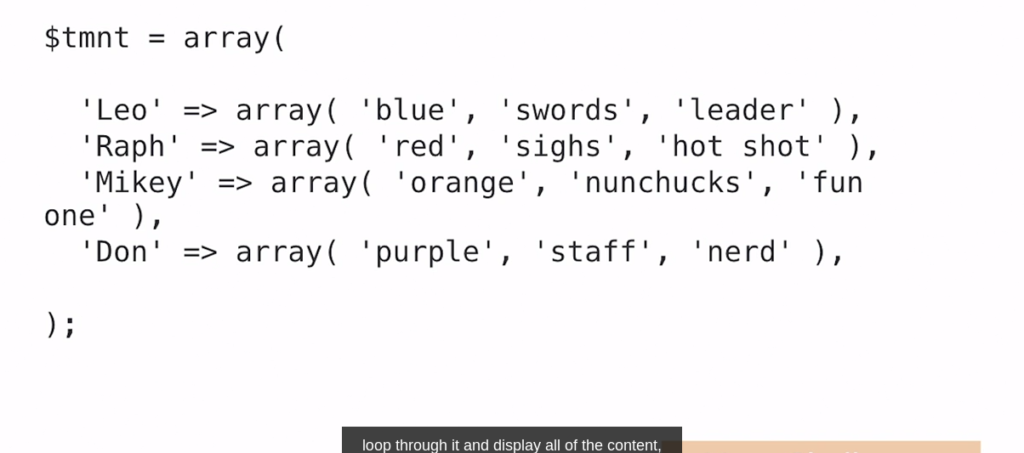
<?php
  $tmnt = array(
    'Leo' => array( 'blue', 'swords', 'leader'),
    'Raph' => array('red', 'sighs', 'hot shot'),
    'Mikey' => array('orange','nunchuncks','fun one'),
    'Don' => array('purple','staff','nerd'),
  );

  foreach ($tmnt as $person => $item) {
    echo "$person: ";
    foreach( $item as $eachitem ) {
        echo " $eachitem, ";
    }
    echo "\n";
  }
?>
output is as follows
Leo:  blue,  swords,  leader,
Raph:  red,  sighs,  hot shot,
Mikey:  orange,  nunchuncks,  fun one,
Don: purple, staff, nerd, 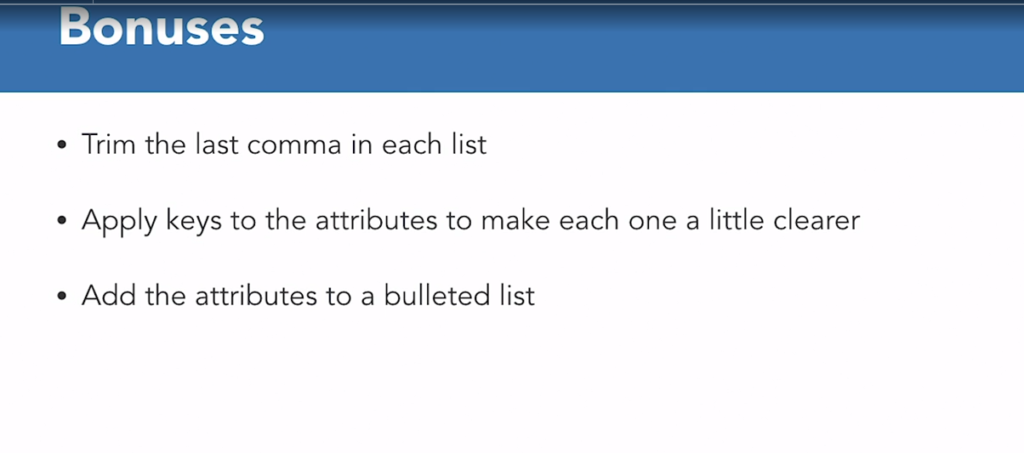
The html actual solution
<?php
  $tmnt = array(
    'Leo' => array( 'blue', 'swords', 'leader'),
    'Raph' => array('red', 'sighs', 'hot shot'),
    'Mikey' => array('orange','nunchuncks','fun one'),
    'Don' => array('purple','staff','nerd'),
  );

  foreach ($tmnt as $person => $item) {
    echo "<p><b>$person:</b> ";
    foreach( $item as $eachitem ) {
        echo " $eachitem, ";
    }
    echo "</p>";
  }
?>
To remove commas first bonus
<?php
  $tmnt = array(
    'Leo' => array( 'blue', 'swords', 'leader'),
    'Raph' => array('red', 'sighs', 'hot shot'),
    'Mikey' => array('orange','nunchuncks','fun one'),
    'Don' => array('purple','staff','nerd'),
  );

  foreach ($tmnt as $person => $item) {
    echo "<p><b>$person:</b> ";
    $item_list = '';
    foreach( $item as $eachitem ) {
        $item_list .= "$eachitem, ";
    }
    $item_list = trim( $item_list, ', ');
    echo $item_list;
    echo "</p>";
  }
?>
rest of the two bonuses code
<?php
  $tmnt = array(
    'Leo' => array( 'bandana' => 'blue', 'weapon' => 'swords', 'role' => 'leader'),
    'Raph' => array( 'bandana' => 'red', 'weapon' =>  'sighs','role' =>  'hot shot'),
    'Mikey' => array( 'bandana' => 'orange','weapon' => 'nunchuncks', 'role' => 'fun one'),
    'Don' => array( 'bandana' => 'purple','weapon' => 'staff', 'role' => 'nerd'),
  );

  foreach ($tmnt as $person => $item) {
    echo "<h4>$person:</h4> ";
    echo "<ul>";
    foreach( $item as $eachitem ) {
        echo "<li>$eachitem</li>";
    }
    echo "</ul>";
  }
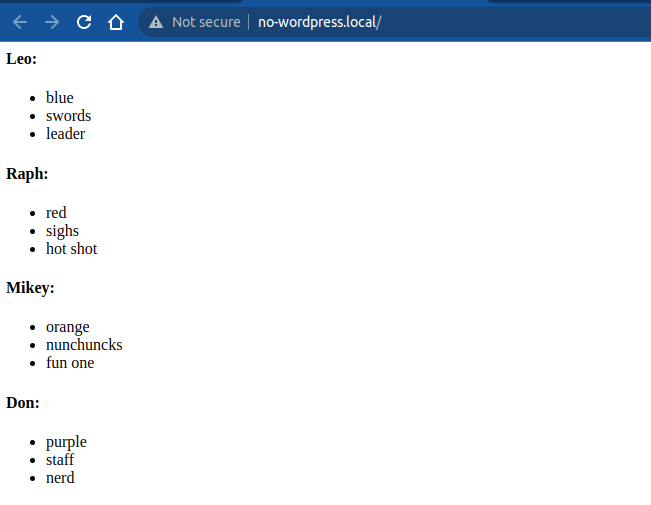
?>
output would be